How to purchase additional peak throughput
Last updated: August 25, 2026
Billing admins can purchase additional peak throughput directly from the Alchemy Dashboard. The upgrade takes effect immediately after confirmation.
Purchase additional peak throughput
Open the Usage dashboard.
Under Peak Throughput, select Upgrade.
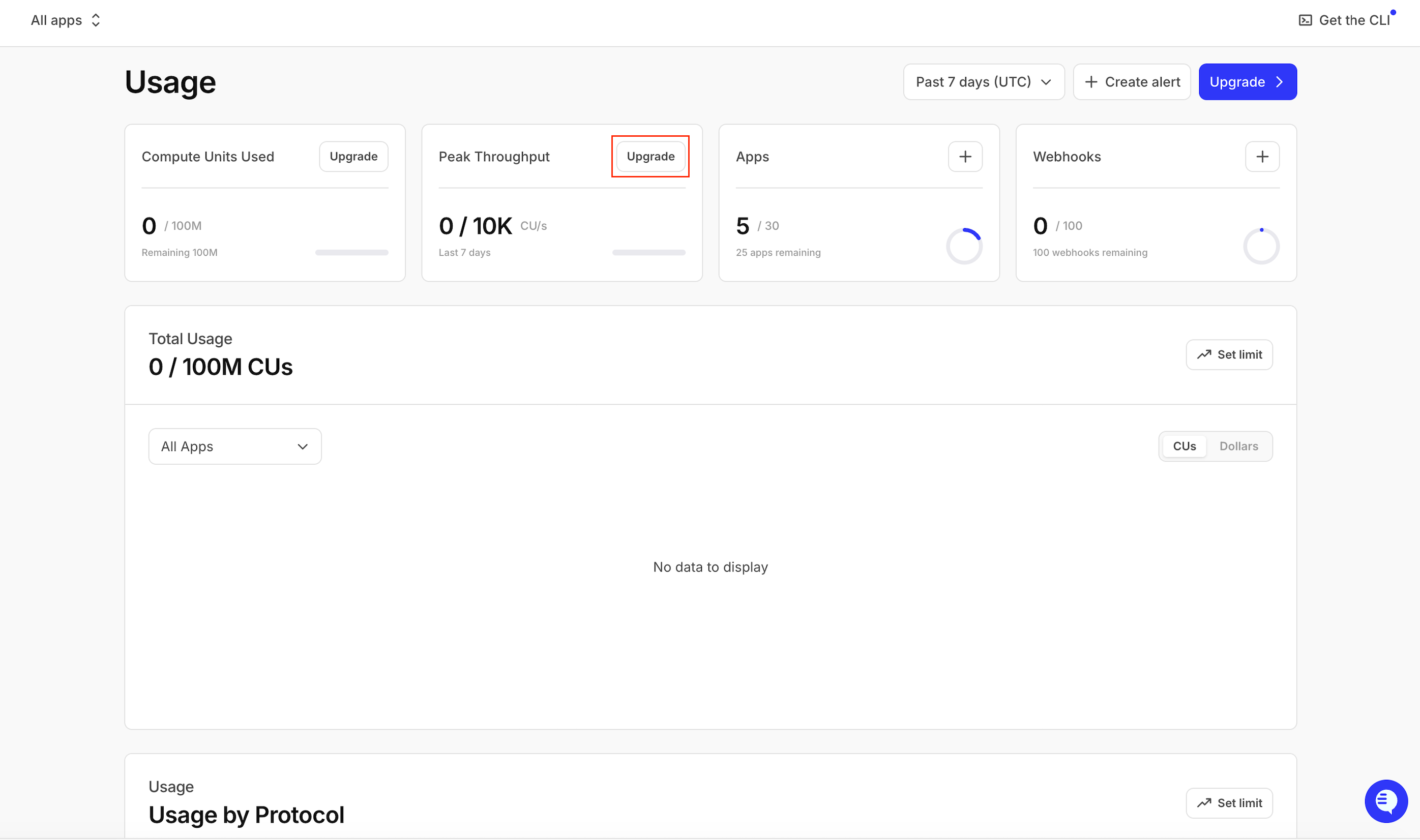
Select Upgrade under Peak Throughput.
Under Additional capacity, select the amount of throughput you want to add.
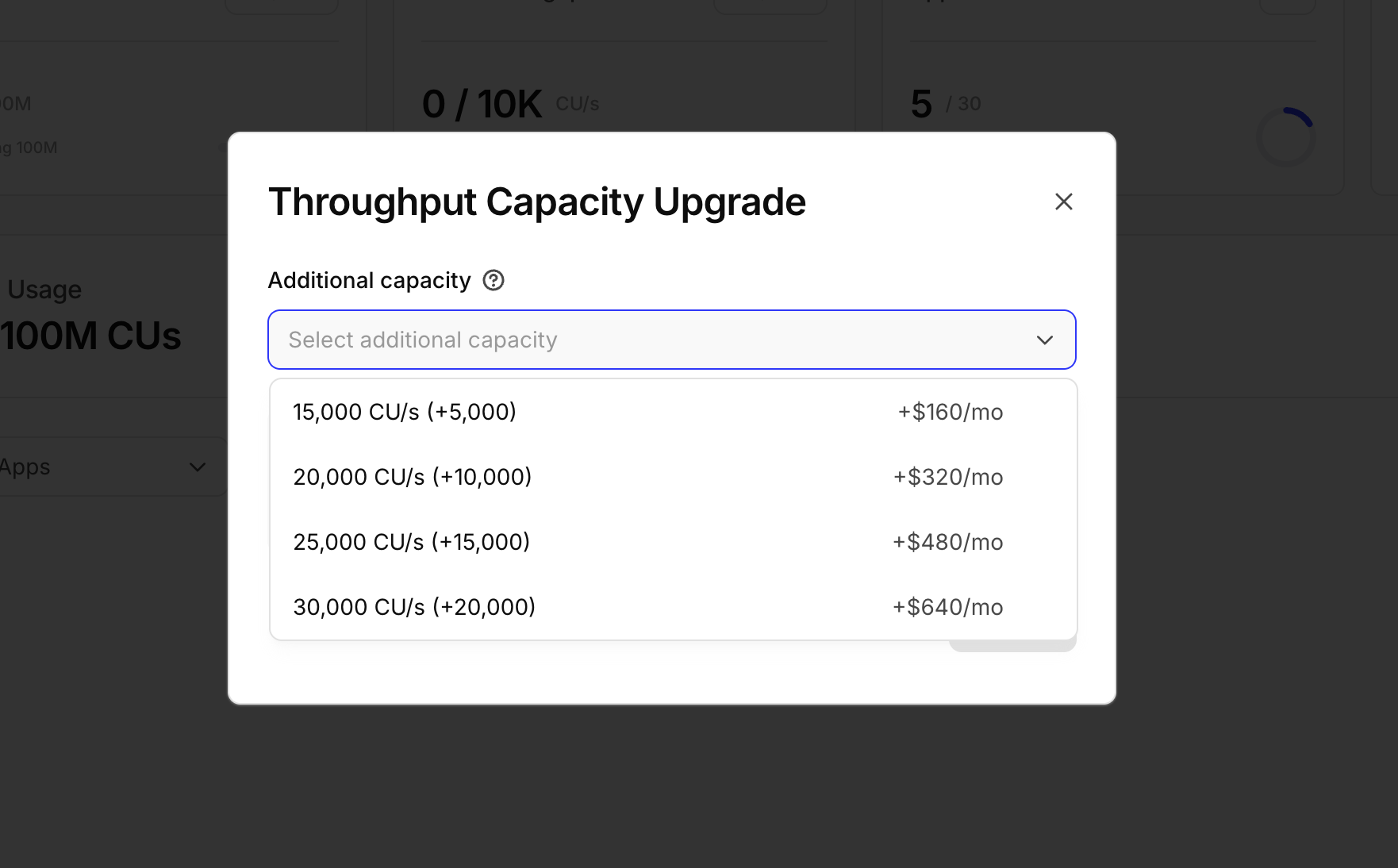
Choose the additional capacity you need.
Select Upgrade to confirm your purchase.
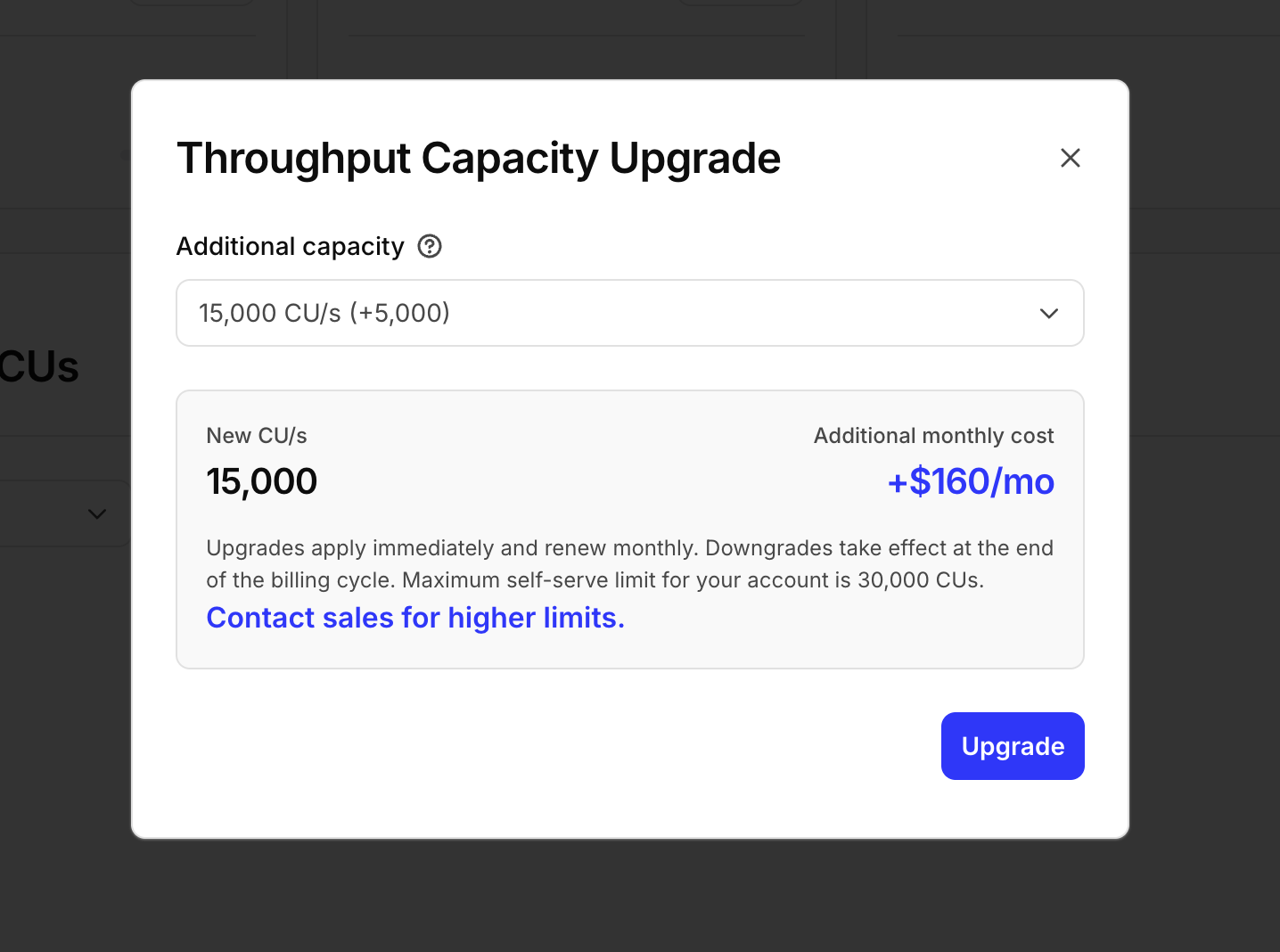
Confirm the upgrade; it takes effect immediately.
Who can purchase additional capacity?
Only a billing admin can purchase additional peak throughput. If you do not have billing-admin access, ask a billing admin on your team to complete the upgrade.
Self-serve purchases are capped by plan: Enterprise accounts can purchase up to 200,000 CU/s total, and Pay As You Go accounts up to 30,000 CU/s total. If you need more throughput than the self-serve cap allows, contact your account executive or the Alchemy sales team for custom pricing.
Pay As You Go self-serve pricing
Pay As You Go accounts start with a base of 10,000 CU/s. Additional throughput is billed monthly:
New total CU/s | Additional CU/s | Monthly cost |
|---|---|---|
15,000 | 5,000 | $160 |
20,000 | 10,000 | $320 |
25,000 | 15,000 | $480 |
30,000 (PAYG max) | 20,000 | $640 |
Handling traffic spikes while you wait on an increase
Short traffic spikes can briefly push your usage above your throughput limit, which returns HTTP 429 responses (or a JSON-RPC 429 error over WebSockets) until traffic drops back down. Throughput is enforced over a rolling 10-second window, so a one-time accidental spike does not carry a lasting penalty: once your traffic is back under the limit, 429s clear and normal service resumes on its own. Retrying failed requests immediately and repeatedly, without backoff, adds even more load during the spike and can make 429s last longer. Honor the Retry-After header when present, and use exponential backoff for your own retry logic instead of retrying immediately.